Setting up automatic email notifications for new submissions
Last updated:
You can set up email notifications to make sure that you are notified about new submissions, wherever you may be. This means you do not have to worry about missing submissions while also saving you time – you no longer need to actively check to see if new submissions have been made.
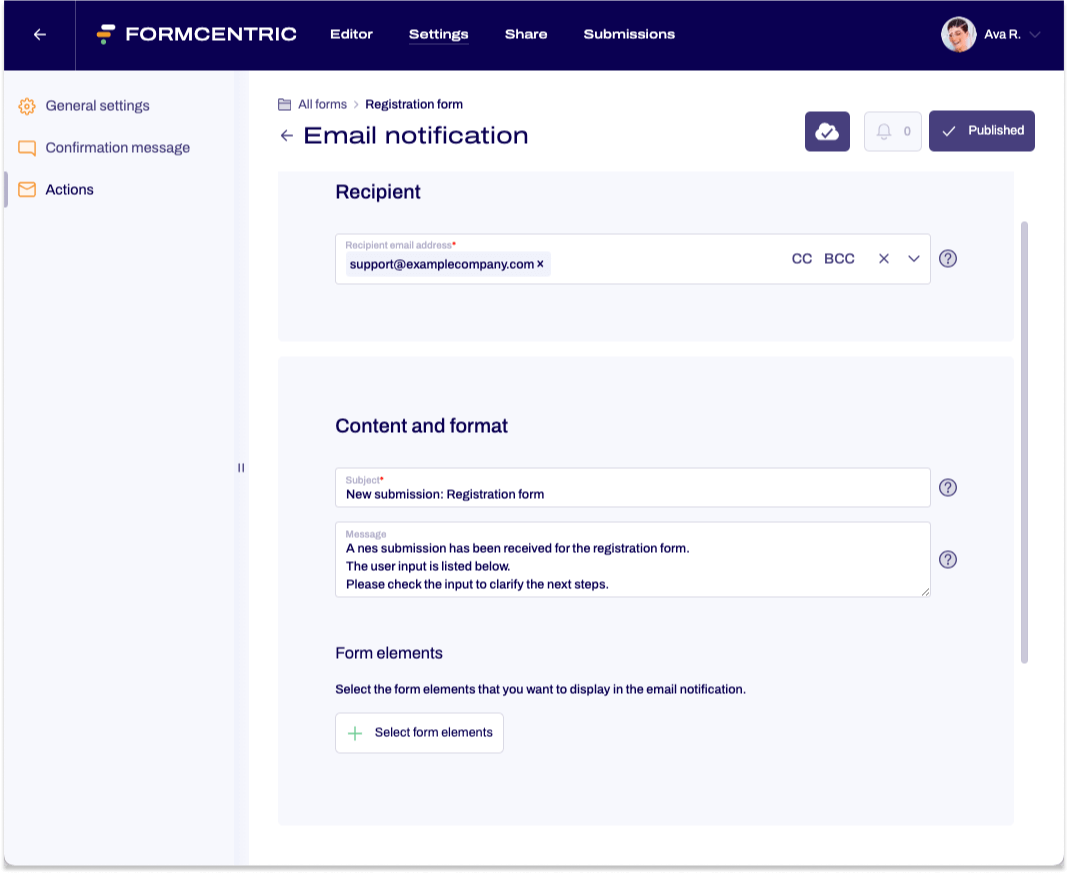
To set up a notification for new submissions, proceed as follows:
- In the Forms area, click the name of the form for which you want to set up a notification.
The form is opened in the Editor. - Click Settings on the top menu bar and then Actions in the left-hand navigation area.
- Click New email notification. Configure your settings across the General, Recipient, Sender, and subsequent sections as follows.
Property |
Description |
| Label | Enter an internal name for this email notification to easily identify it in your actions list. |
| Email design | Select the design template to use for this notification. The built-in Base Design is preselected by default. Alternatively, select a custom design created in the Admin centre. |
| Recipient email address | Enter the email address to which the email notification of new submissions will be sent. |
| CC/BCC | Click CC or BCC on the right side of the Recipient email address field to add additional recipients or blind carbon copies. |
| Sender email address | This email address will appear as the sender of the notification email. Please contact us if you would like a different email address to be used. |
| Reply to | Enter an email address here or select one from the form. Replies to the notification email will be sent to this address. |
| Subject | Enter the subject of the notification email here, e.g. New submission: Contact form. |
| Message | Enter the text to be displayed in body of the email notification mail, e.g.: A new submission has been received for the contact form. The user input is listed below:… |
| Select form elements | Select the form elements that you want to have displayed in the email notification. The form elements will be displayed in the order in which they are listed here. If you want to use a different order, you can use drag-and-drop to rearrange your form elements.
Click the green button at the bottom right to confirm your selection. All form elements listed in the summary are then listed in the editing area. You can use the recycle bin icon on the right-hand side to delete individual form elements. |
| Condition | Specify the user input here for which the email notification will be sent or not sent. For more information about conditions, please see our article on Conditions |